
User steps to access BharatAirFi
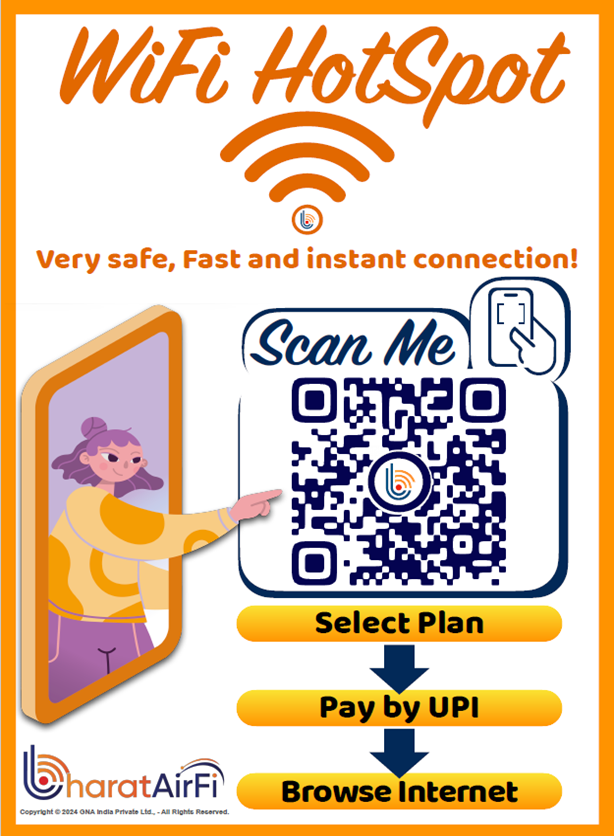
Step-1: Scan the QR Code Connect to BharatAirFi
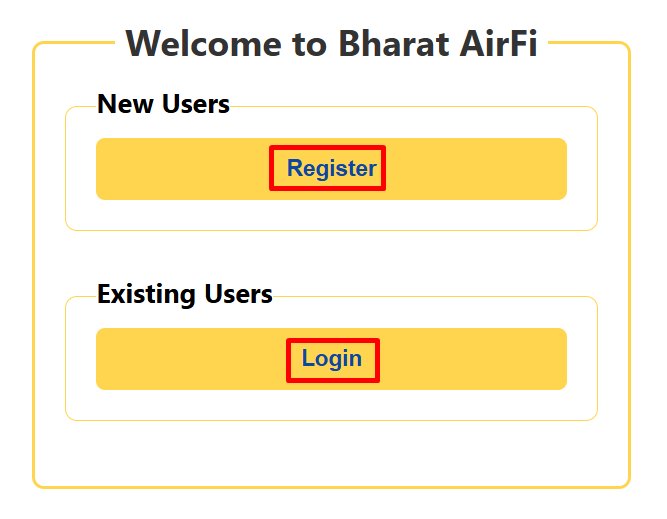
Step-2: Click on Register if you are New User else click on Login
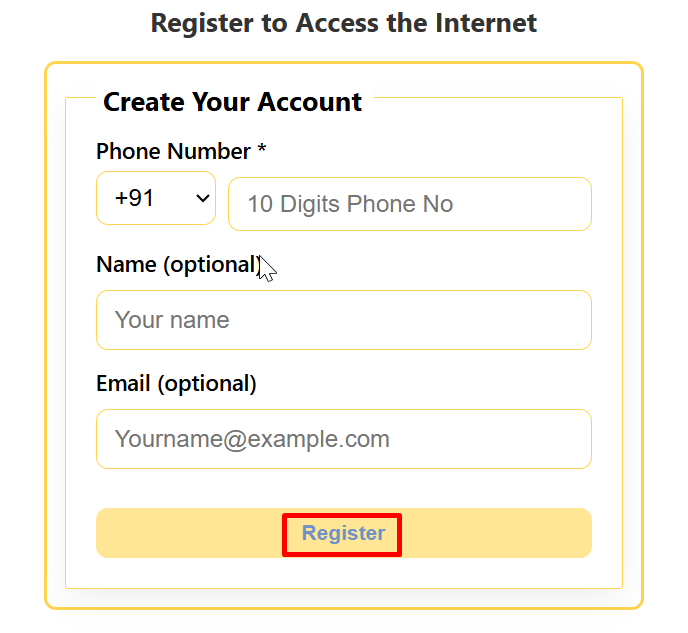
Step-3: Enter Phone Number, Name, Email and Register Yourself
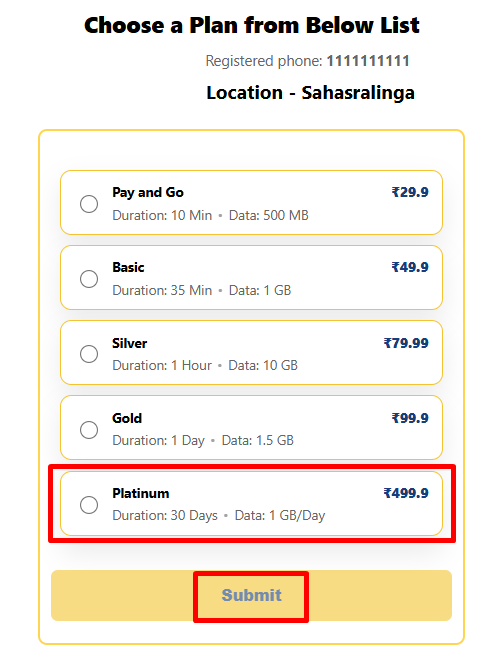
Step-4: Select your Plan and Submit
Step-5: Confirmation of your Plan incl of GST
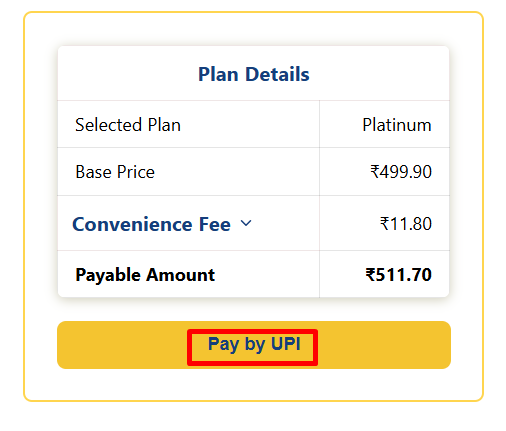
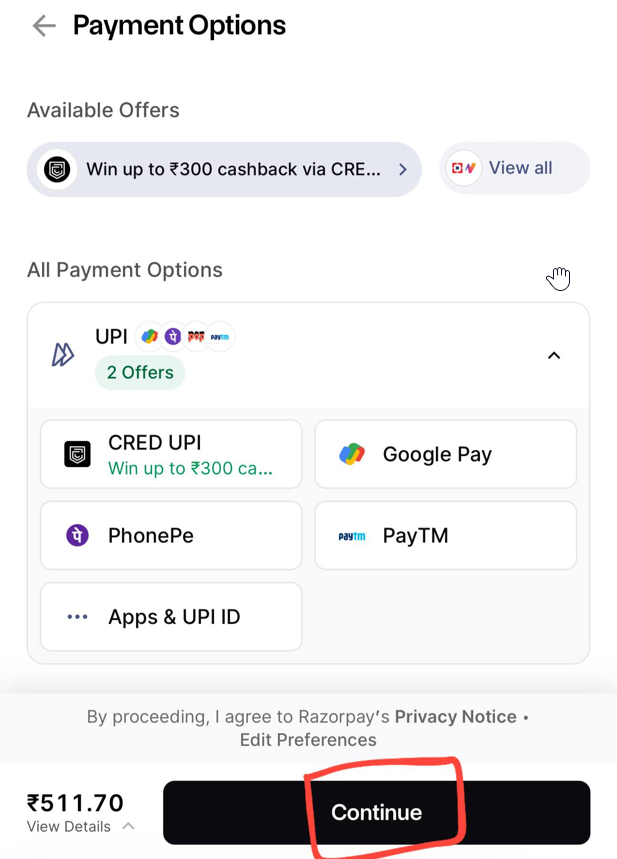
Step-6: Select your Payment App, click continue and make the Payment
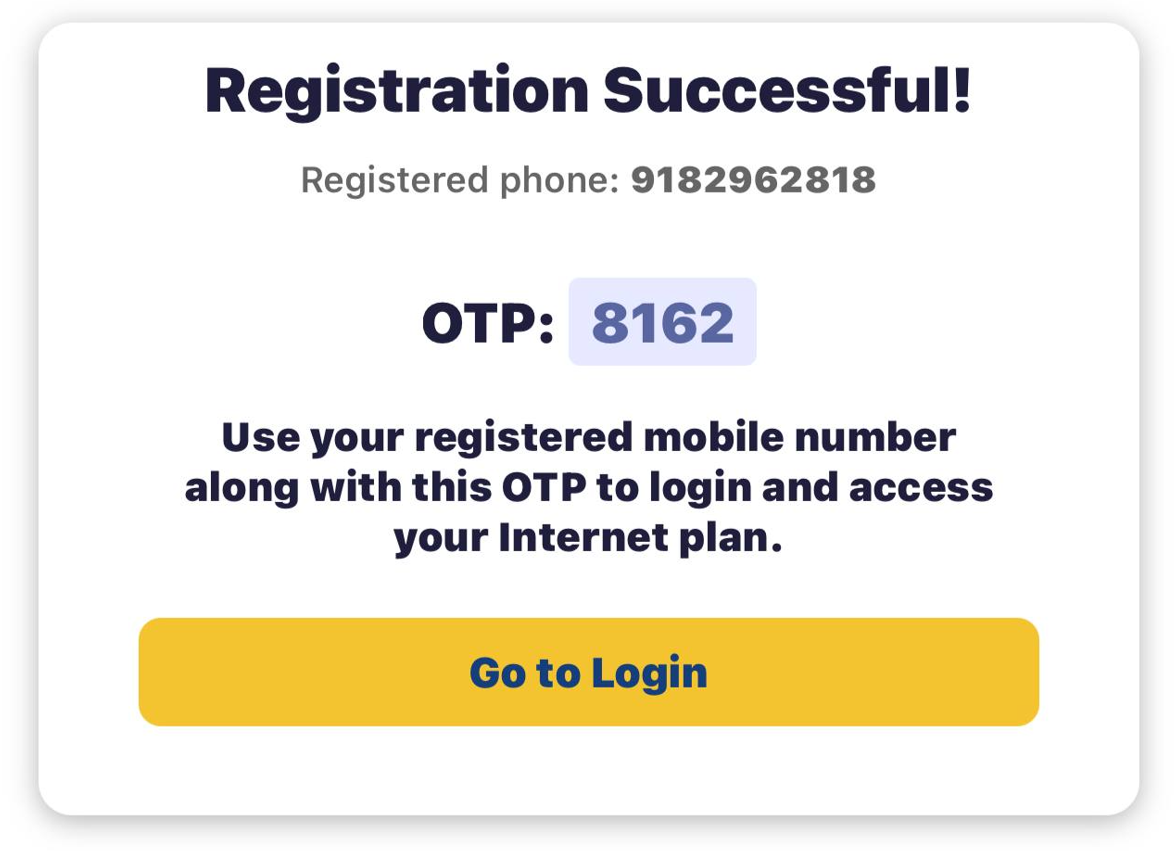
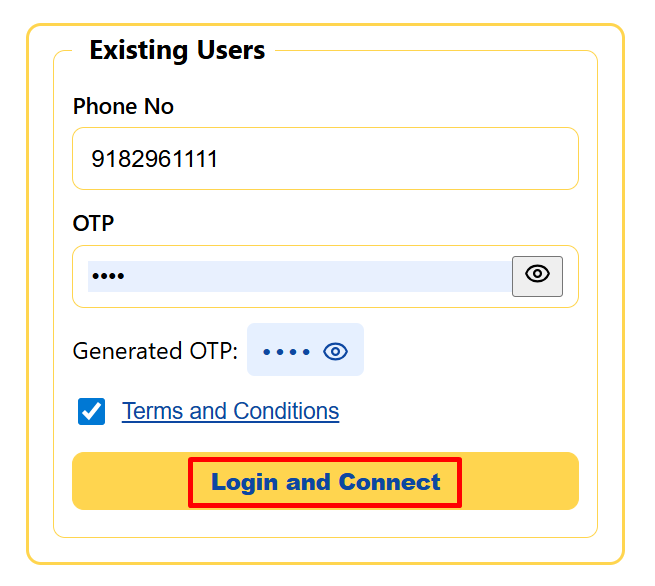
Step-7: After Registration is Successful, Copy the OTP and click Login
Step-8: Enter you Registered Phone Number and Copied OTP
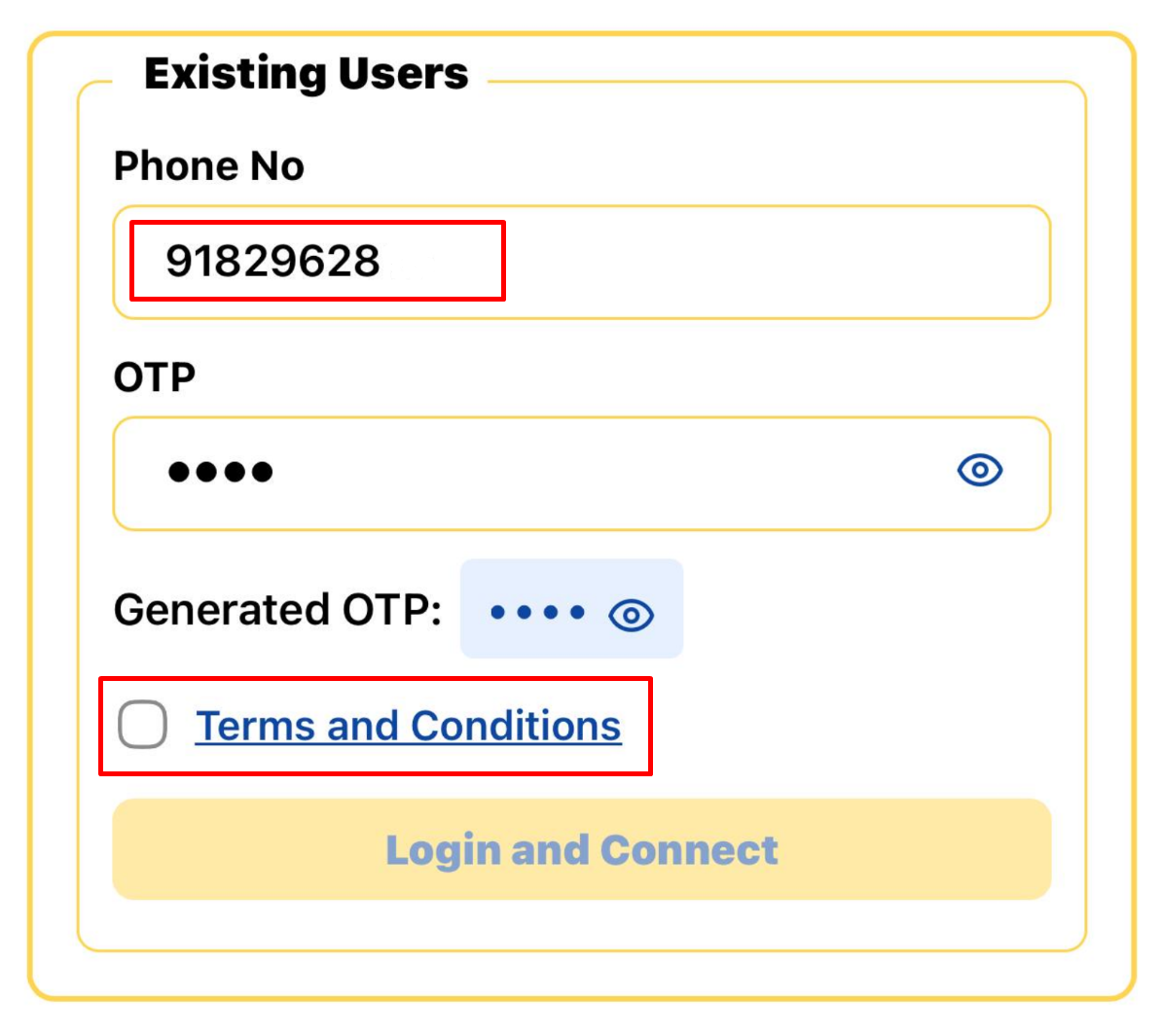
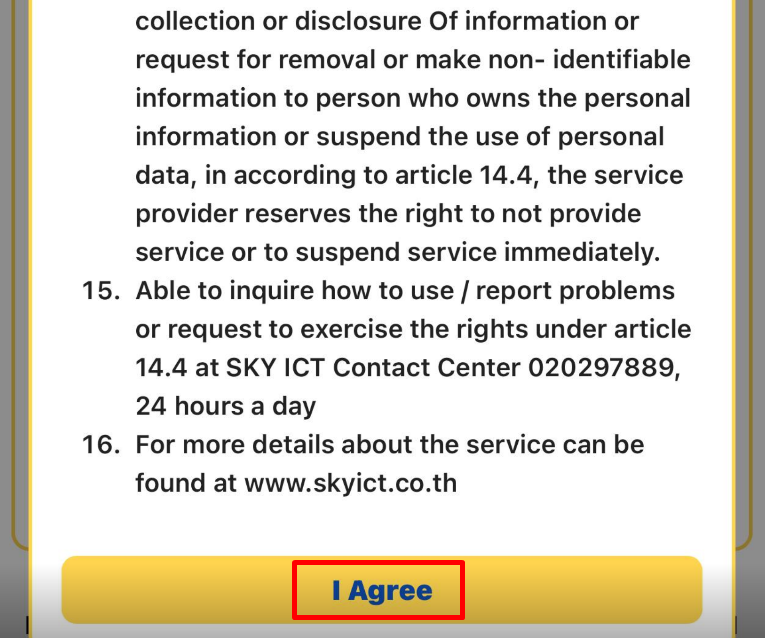
Step-9: Agree Terms and Condition
Step-10: Click on Login and Connect
Step-11: Watch History of the Location

Step-12: Scroll down click Close to Enjoy your WI-FI